ReelPulse Studio Free beta
AI short drama workflow
Plan your vertical drama shot by shot, compare the footage you bring back from your video tool, and give your editor one package to work from.
No account needed. Projects stay in this browser.
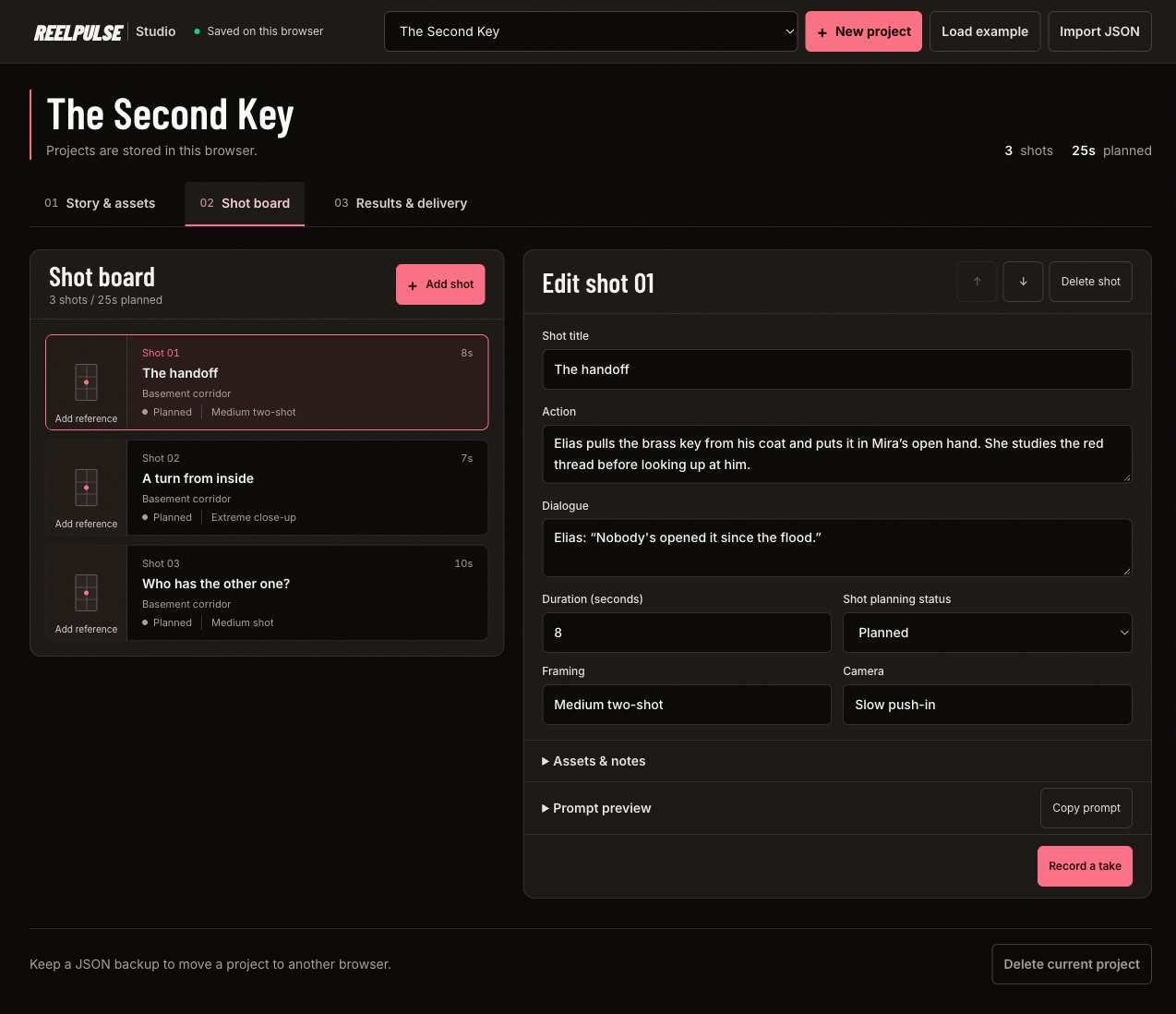
From shot plan to editor handoff
Keep the script details, reference images and take decisions together. When a shot takes several tries, you can see which prompt went with the take you chose and how much usable footage it gave you.
Break the scene into shots
Add your story, characters, locations, props and reference images. Give each shot its action, dialogue, framing and duration. Studio assembles those details into a prompt you can copy.
Generate elsewhere, review here
Paste the prompt into your chosen video tool. Bring the clips back, compare two takes of the same shot, and record credits, dollars and usable seconds when you know them.
Send the selected takes to edit
Choose one accepted take per shot. Export a ZIP with the project, shot list, notes, prompts, selected footage and available references. Studio flags missing files before download.
Open an editor handoff
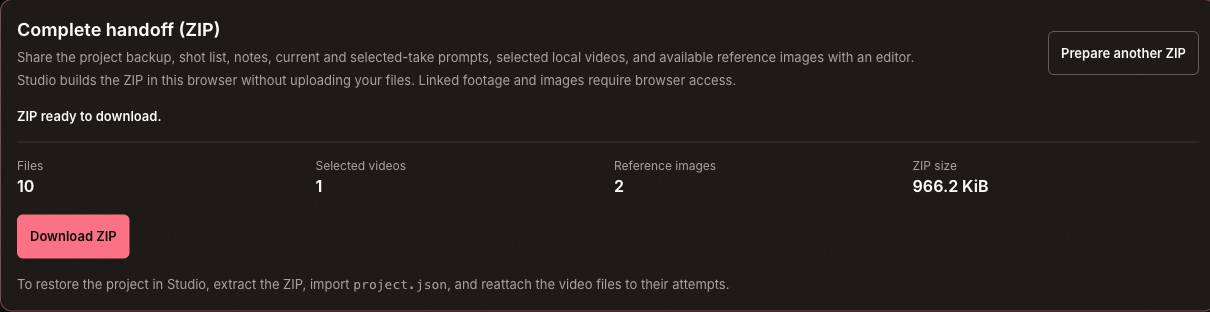
This one-shot example shows how Studio packages footage, current references and the exact prompt saved with the selected take. Start with the editor notes or follow the shot list to the files.
handoff.md shots.csv project.json manifest.json
966 KiB. Synthetic test footage and references.
Keep a backup of your work
Studio stores projects and attached media in your current browser profile, with no cloud sync or uploads. Previewing or packaging a linked file can contact the site hosting it, and some hosts block browser downloads.
Export JSON and keep your original clips before clearing site data or changing devices. JSON saves the project and take records without the video files. The handoff ZIP includes selected footage only; to restore it, extract the project JSON and reattach the clips.
Local attachments are limited to 100 MiB per video and 500 MiB total, subject to your browser’s available storage. A handoff can contain up to 600 MiB of files.
Common questions
- Does ReelPulse Studio generate videos?
- No. Studio assembles prompts from your shot plan. You copy them into the video tool you use and bring the results back for review.
- Is ReelPulse Studio free?
- Yes. The browser workspace is free during beta and doesn’t require an account. Any charges from the video tools you use are separate.
- Can I track what a shot actually cost?
- Yes. Record credits or USD for each take, including retries and rejects. Enter the usable seconds after review. Leave costs blank if you don’t know them.
- Can I move a project to another device?
- Yes. Export a JSON backup and import it on the other device. To bring the footage too, keep the original files or extract them from the handoff ZIP, then reattach them to the matching takes.
Start with one scene
Open Studio and choose Load example to see a three-shot plan, or start your own project.
Open Studio