Production guide · 2026
AI video toolsfor short drama
A production-first comparison of eight current and legacy routes. Choose by the shot you need, the continuity you can defend and the cost of usable footage—not by a single viral demo.
Start with the production job
No universal winner. Five useful starting points.
These are workflow recommendations, not paid rankings. Official product links were direct when this guide was checked.
Prototype a live format
H3 Max
Use the faster-than-playback route for a buffered shared broadcast, then score every clip boundary.
Direct a full scene
Runway · Kling · Flow
Start with the tools built around references, connected shots and production control.
Explore several looks
Higgsfield
Compare model families before committing the episode pipeline to one provider.
Create hooks and effects
Pika
Use specialist effects for teasers, reveals and promotional cutaways.
Migrate a legacy pipeline
Sora 2 API
The deprecated Videos API is scheduled to shut down on September 24, 2026; do not start a new long-lived route.
Interactive shot router
Give the shot a job.
Build the pilot around it.
Select the production problem, required access and hardest acceptance gate. The console returns three routes to test under one locked brief.
Shot routing console
Three brief decisions produce a primary route, a challenger and a specialist fallback.
Dispatch result
Build a three-route pilot
Deterministic production-fit guidance—not a measured quality score or paid ranking.
Route 01

Runway
Primary routeDirected production suite · App + API
Its suite structure makes it a sensible primary test for references, direction and finishing across connected shots. The pilot still has to prove identity and geography across the locked three-shot sequence.
Proof gate
Cut the locked close-up, two-shot and moving reveal together; log every rejected generation and repair.
Route 02

Kling AI
Pilot challengerCharacter-motion challenger · App + API
Its character-led motion and multi-shot routes make it the strongest challenger for the same sequence. The pilot still has to prove identity and geography across the locked three-shot sequence.
Proof gate
Score face identity, hand contact, eyelines and native audio independently across the same scene pack.
Route 03

Google Flow / Veo
Specialist / fallbackCinematic scene route · App + API
Its scene-building approach belongs in the pilot when world continuity and cinematic assembly matter. The pilot still has to prove identity and geography across the locked three-shot sequence.
Proof gate
Keep Flow credits separate from Gemini API dollars and review picture, dialogue and room tone as separate gates.
Pilot rule
Use the same shot brief, references and delivery settings.
Cost rule
Count every output, then divide by accepted finished seconds.
Decision rule
Choose the sequence winner, not the most impressive isolated clip.
Comparison slate
Choose the route, then the model
Prices below are entry routes, not finished-film estimates. Core routes were checked on 29 August; H3 Max was checked on 3 September 2026.
Swipe the slate horizontally
| Tool | Route | Best production job | Entry and billing | Audio | Short-drama fit |
|---|---|---|---|---|---|
 MiniMax H3 Max MiniMax H3 Max | Fast video modelfal sandbox and API | Near-real-time clips and shared interactive broadcast pilots | fal lists $0.08 per generated second at 768p ($4.80/minute); five sandbox generations per day are currently free | Native synchronized audio | Core pick |
| Runway | Creative suiteDirect web app and API | Directed shots and production control | 125 free one-time credits; Standard is $15 monthly or $12/month billed annually with 625 monthly credits | Model and workflow dependent | Core pick |
| Kling AI | Model platformDirect web app and API | Character-led motion and multi-shot scenes | Free entry and subscriptions; API usage is billed per generated second | Native-audio options are available on selected models | Core pick |
| Google Flow | Filmmaking workspaceDirect Google creative workspace | Cinematic scene building with Veo | 50 free daily Flow credits without a subscription; paid Google AI plans include monthly credit pools | Available through supported Veo workflows | Core pick |
 Higgsfield Higgsfield | Multi-model creative suiteDirect web app with multiple underlying models | Testing several leading models in one interface | Starter is $19/month billed annually with 270 credits; Plus and Ultra add larger credit pools and broader model access | Depends on the selected underlying model | Strong option |
 Luma Dream Machine Luma Dream Machine | Creative agent and video suiteDirect web app and API | Shot iteration, frames and finishing passes | Plus is $30/month or $300 billed annually; Ray3.2 API pricing varies by duration and resolution | Workflow dependent | Strong option |
 Pika Pika | Social video and effects suiteDirect web app and API Club | Fast transformations and attention-grabbing inserts | Basic is $8/month billed annually with 80 credits; API Club is $10/month plus pay-as-you-go usage | Available in selected experiments and workflows | Specialist |
 Sora 2 API Sora 2 API | Developer modelDeprecated OpenAI Videos API; shutdown scheduled for September 24, 2026 | Legacy pipeline migration and cost review | Usage based until shutdown; use current rates only for migration and remaining-work estimates | Video-and-audio model workflow | Specialist |
Pricing reality check
Entry price buys attempts—not finished footage.
These examples translate current official rates into submitted clips. They deliberately stop before estimating quality or acceptance rate.
Runway Standard
Official pricing10
complete 5-second Gen-4.5 attempts
625 monthly credits cover ten complete submissions at 60 credits each, with 25 credits left. This is generated coverage before rejects, fixes or upscaling.
Luma Ray3.2 API
Official API rate$3.60
one submitted three-shot pack at 1080p
Three 5-second text-to-video or image-to-video clips cost $1.20 each at the published 1080p rate. A single retry on every shot doubles that spend.
The production conversion
Billable attempts
Accepted clips
Usable seconds
Only the final line belongs in a production budget. Use the calculator below to convert a real session into that number.
Calculate usable cost ↓Existing route rates checked 29 August 2026; H3 Max checked 3 September 2026. Model availability, plan credits and API prices can change; follow the linked official page before budgeting a live production.
Locked-prompt benchmark · RP-SCENE-001
One scene. Three shots. Every attempt counted.
Public vendor demos are not comparable evidence. A result enters this ledger only after the locked reference, prompt and shot pack run on that route.
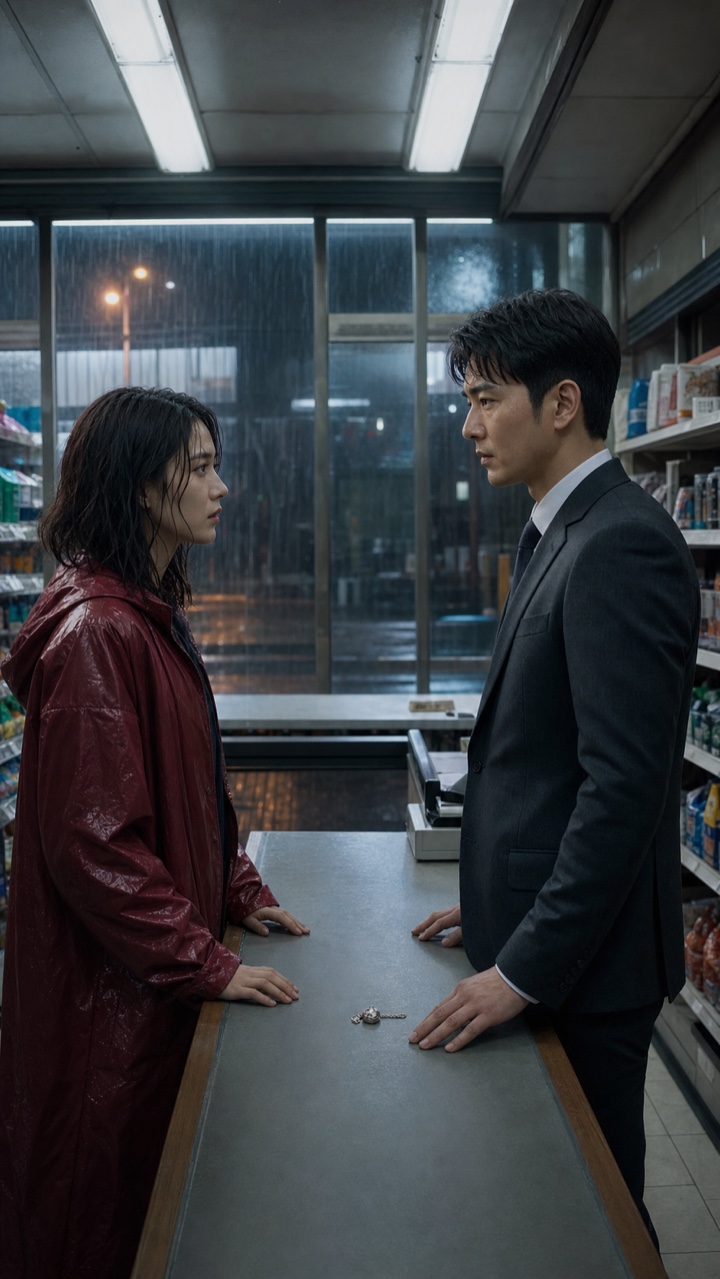
Neutral reference input
Test scene
The silver locket
A
Master two-shot
Both characters hold eye contact. The woman slowly slides the silver locket toward the man. Locked camera with a subtle five-percent push-in. Preserve both faces, wardrobe and store geography.
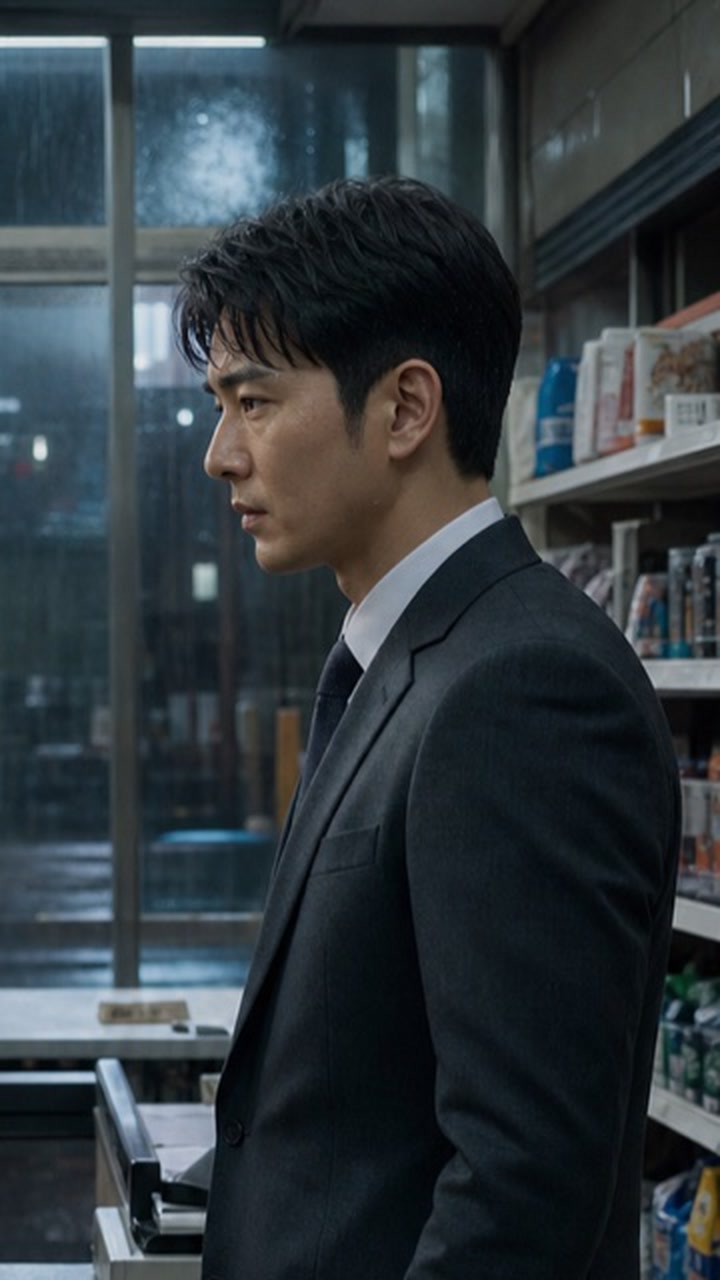
B
Reaction close-up
Close-up on the man. He looks down at the locket, recognizes it, then looks back at the woman without speaking. Shallow depth of field; no change to face, hair, suit or lighting direction.
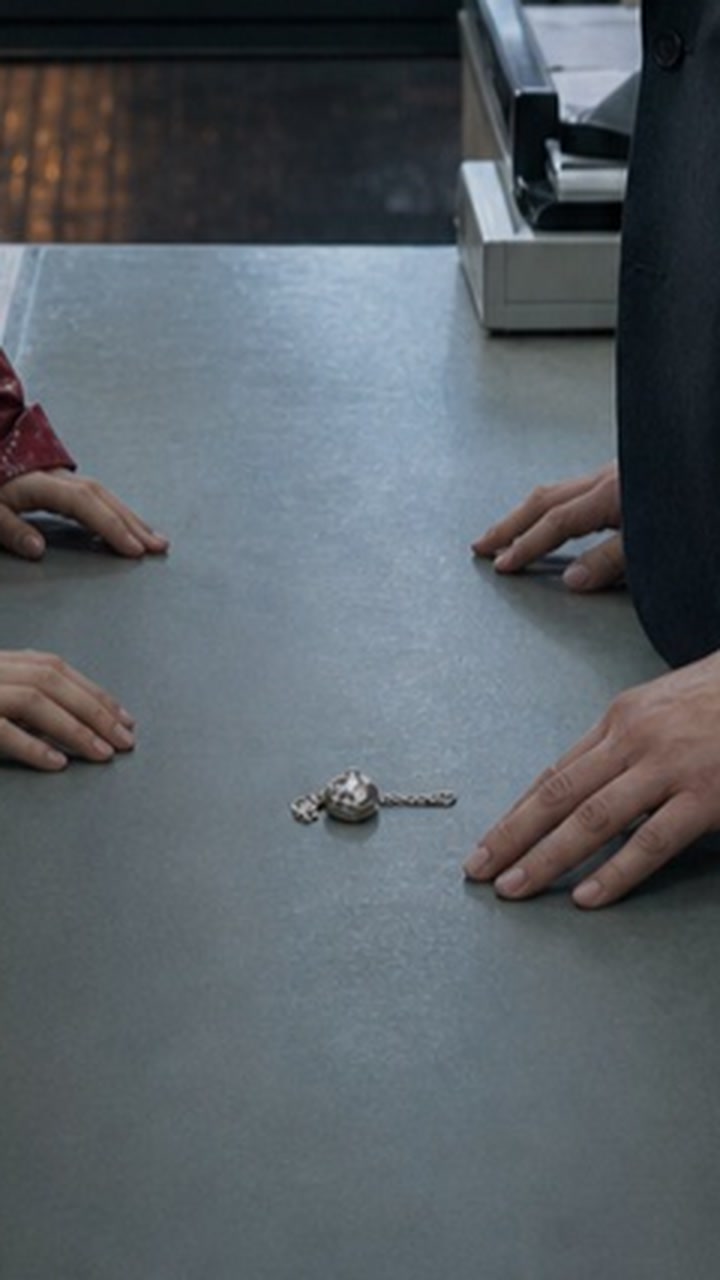
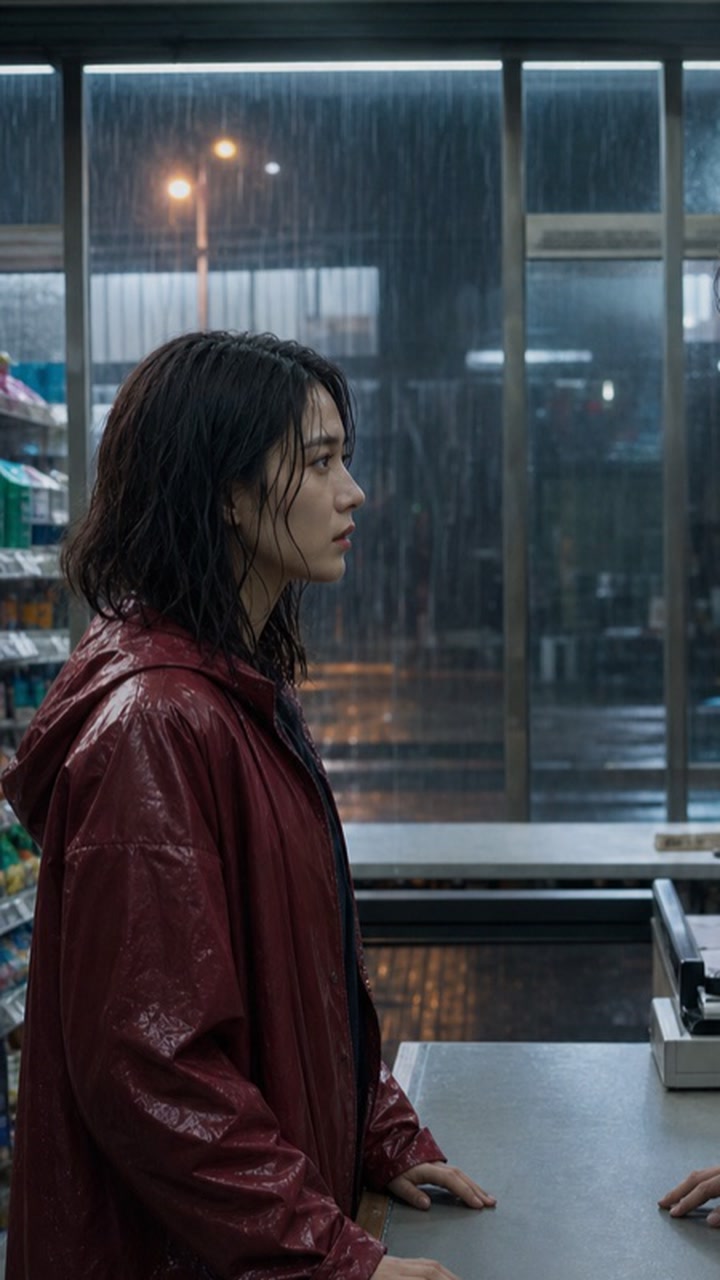
C
Moving reveal
Begin on the locket in the foreground, then make a slow controlled tilt and push to the woman as she says, ‘You knew who I was.’ Keep the man present as a soft shoulder foreground and preserve the original location.
Master prompt
Vertical 9:16 premium live-action short-drama scene in a modest city convenience store at night during rain. Keep the same two fictional adult characters from the reference image: a 28-year-old East Asian woman in a deep red raincoat with wet shoulder-length dark hair, and a 34-year-old East Asian man in a charcoal suit. A small silver locket remains the key prop on the counter. Natural skin texture, grounded fluorescent lighting, restrained emotional performance, realistic hands and stable wardrobe. No brands, captions, logos or extra people.
Locked rules
- — Use the same source still, deterministic shot crops and prompt text for every route.
- — Never generate a provider-specific reference; every route receives the identical A, B and C input package.
- — Use the closest available standard-quality mode; record model and resolution.
- — Allow at most five attempts per shot before marking the shot unresolved.
- — Count every submitted generation, including errors and discarded clips.
- — Publish a sample only after the three shots can be evaluated as a sequence.
Sample reel and attempt ledger
Controlled run ledger
A full sample card appears only after its locked-prompt run is recorded. Scheduled routes stay compact so they cannot be mistaken for missing media.
Publication progress
1 of 8 routes published
“Queued” means the route is scheduled for testing—not that a video failed to load.
Kling AI
Kling Video 3.0 · 720 × 1280 · checked 2026-08-29
Published controlled result
Three-shot sequence verified
A passed on its first run. B and C were each rerun once with deterministic shot-specific crops from the same source still. All three shots passed visual review, and C's generated dialogue passed the final human listen.
- Attempts
- 5
- Reruns
- 2
- Usable shots
- 3/3
- Usable seconds
- 15
- Credits spent
- 225
- Credits / usable sec
- 15.0
A
Verified1 attempt · 0 reruns · 45 credits
Master two-shot accepted from the first submitted generation.
B
Verified2 attempts · 1 rerun · 90 credits
The first result drifted from the requested close-up; the deterministic close-up crop produced the accepted reaction shot.
C
Verified2 attempts · 1 rerun · 90 credits
The first result opened too wide; the locked start/end crops fixed the visual move. The generated dialogue was manually reviewed and accepted.
Tests in queue
Waiting for product access, generation credits and a recorded locked-prompt run.
MiniMax H3 Max
Controlled sample pending
Runway
Controlled sample pending
Google Flow
Controlled sample pending
Higgsfield
Controlled sample pending
Luma Dream Machine
Controlled sample pending
Pika
Controlled sample pending
Sora 2 API
Controlled sample pending
Tool-by-tool notes
What each route changes on set
Slate 01
MiniMax H3 Max
Core pickFast video model
Test this route when queue and render speed are part of the product—not only a faster way to produce a conventional edited shot.
Production strengths
- Five-second 768p generation is publicly reported below playback duration
- Text-to-video and image-to-video routes fit a rolling clip buffer
- Native audio removes a separate generation and sync pass
Watch before buying
Faster-than-playback inference does not prove cross-request identity, voice or story continuity. A generated hour costs $288 before rejects, delivery and moderation.
Slate 02
Runway
Core pickCreative suite
Start here when the job needs repeatable shot direction, references, generation and post-production tools in one workspace.
Production strengths
- World and subject consistency workflows
- Generation and editing live in one production suite
- Documented per-second API pricing for budget models
Watch before buying
A polished five-second shot can require several rerolls, so the subscription price is not the finished-scene cost.
Slate 03
Kling AI
Core pickModel platform
Put Kling on the shortlist when a scene depends on people moving, interacting and remaining recognizable across connected shots.
Production strengths
- Image, video and element-led creation paths
- Multi-shot and higher-resolution options
- Transparent API unit pricing by resolution and audio mode
Watch before buying
Membership credits, model versions, resolution and native audio all change the real cost of the same scene.
Slate 04
Google Flow
Core pickFilmmaking workspace
Use Flow when the priority is assembling a visual world and carrying reusable creative ingredients through a sequence—not only making one clip.
Production strengths
- Designed around filmmaking rather than one-off effects
- Reusable ingredients and scene-oriented creation
- A public gallery of films made with the workflow
Watch before buying
Availability, model access and generation limits depend on the Google AI plan and market shown to the account.
Slate 05
Higgsfield
Strong optionMulti-model creative suite
Choose a multi-model workspace when look development matters more than committing to one model vendor at the start of production.
Production strengths
- Multiple video models under one subscription
- Stackable camera movements and creator controls
- Fast side-by-side look development without changing apps
Watch before buying
A platform plan is not the same as direct model access. Check which model, speed tier and usage policy produced each result.
Slate 06
Luma Dream Machine
Strong optionCreative agent and video suite
Consider Luma when a creator wants to direct key frames, iterate cuts and keep image and video work inside one visual workspace.
Production strengths
- Frame-directed video generation
- Published credit costs by duration and resolution
- Image, video and creative-agent workflows in one product
Watch before buying
Resolution changes the credit cost sharply. Budget at the final delivery resolution, not the cheapest preview setting.
Slate 07
Pika
SpecialistSocial video and effects suite
Pika makes more sense for a transformation, prop effect or social cutaway than as the only engine behind a long character drama.
Production strengths
- Low-cost paid entry point
- Image and video transformations built for quick iteration
- Accessible effects for hooks, teasers and promotion clips
Watch before buying
A memorable effect is not continuity. Test recurring faces, wardrobe and locations before using it across episodes.
Slate 08
Sora 2 API
SpecialistDeveloper model
Do not start a new long-lived production pipeline on this route. OpenAI marks the Videos API as deprecated and scheduled to shut down on September 24, 2026.
Production strengths
- Existing programmable generation route
- Remaining API documentation supports migration inventory
- Published rates can price work scheduled before shutdown
Watch before buying
The Videos API is deprecated and scheduled to shut down on September 24, 2026. Plan migration instead of new production dependence.
Watchlist
Hailuo AI
Official routeA direct generator worth testing for motion and value. Its public pricing and plan limits should be rechecked inside the live account before publication-grade budgeting.
Watchlist
Seedance
Official routeA model family available through several creative suites. Record the exact host, model version and speed tier because results and costs differ by access path.
The number that matters
Price the usable second—not the generated second.
Retry-adjusted cost
Total credits spentUsable finished seconds
Interactive production calculator
Replace the example with one real generation session.
Cost per usable second
$1.88
At the same yield, one usable finished minute would cost approximately $112.50.
- Retry / reject count
- 13
- Attempts per usable clip
- 3.6×
- Usable clip rate
- 27.8%
- Usable time yield
- 17.8%
90.0 generated seconds · $1.67 per attempt
Estimated spend outside the final cut: $24.67
The default numbers are an interface example, not a ReelPulse benchmark result. Actual tool results appear only after a locked-prompt run.
Rerolls
Log every attempt, not only the clip that worked. A four-reroll shot costs five generations.
Resolution
Preview cheaply, but price the delivery resolution. Upscaling and high-resolution generation can change the budget.
Editability
A beautiful clip that cannot match the preceding shot has zero finished-sequence value.
ReelPulse benchmark method
Test an episode problem, not a demo prompt
This first edition compares product routes and official commercial facts. ReelPulse will only add performance scores after running the same repeatable shot pack across tools.
- Facts
- Official product, pricing and developer documentation.
- Judgment
- Independent production-fit analysis; rankings are not paid placements.
- Results
- Held back until ReelPulse has controlled footage, attempt logs and spend records.
- 01
Lock the brief
One 9:16 scene, two speaking characters, fixed wardrobe, one interior and a visible story prop.
- 02
Generate coverage
Create a close-up, two-shot and moving reveal using the same references and delivery settings.
- 03
Count every attempt
Record rerolls, queue time, failures, credits and any manual repair required before editing.
- 04
Judge the sequence
Score identity, action, dialogue, continuity and cost only after the three shots are cut together.
Rights checkpoint
Commercial does not mean cleared
Verify the live plan terms, watermark rules and allowed distribution before generating final footage.
Keep permission records for faces, voices, source images, music and branded or copyrighted material.
Record the model, host platform, plan and generation date for each shot that reaches the final cut.
Treat a platform's marketing summary as a starting point; the current terms and your underlying rights control the risk.
FAQ
Before the first paid render
What is the best AI video generator for short dramas?
There is no universal winner. Runway is a strong starting point for directed production, Kling belongs on the shortlist for character-led motion, and Google Flow is designed around cinematic scene building. The best choice depends on the shot, access route, retry rate and required audio workflow.
Which AI video tool is best for consistent characters?
Choose a tool with reference, element or reusable-asset workflows, then test the same character across multiple angles, lighting setups and two-person interactions. Product claims about consistency do not replace an episode-style continuity test.
How should creators compare AI video prices?
Compare total credits or usage cost against usable finished seconds after rerolls. Subscription price alone hides failed generations, higher-resolution costs, audio multipliers and shots that cannot be edited into the final sequence.
Can AI-generated short drama footage be used commercially?
Commercial use depends on the current plan terms, source assets, likeness and voice permissions, and the distribution platform. Read the live terms before production and keep a record of the model, account plan and source materials used for every final shot.
Is Runway or Kling better for a short drama?
Start with Runway when one workspace for direction, generation and finishing matters most. Put Kling in the same pilot test when character motion, interaction or multi-shot coverage is the harder problem. The winner is the route that delivers the required sequence with fewer rejected attempts—not the strongest isolated demo.
Should one short drama use more than one AI video generator?
It can, but assign each route a job. A production might use one tool for recurring character scenes, another for a difficult camera move and a specialist for promotional effects. Mixing tools increases continuity, color, rights-tracking and cost-accounting work, so keep the main cast pipeline as narrow as possible.
How many AI video attempts should a creator budget per shot?
There is no reliable universal retry rate. For a pilot, set a hard attempt cap before generating and count errors and discarded clips. ReelPulse uses a maximum of five attempts per shot in its locked protocol, then marks the shot unresolved instead of hiding unlimited rerolls.
Make an AI short drama
Follow the seven production gates from continuity bible to finished episode.
Controlled test ledger
Record every attempt, reject, usable second and evidence location without seeded data.
AI video cost calculator
Estimate submitted generations, retries and cost per usable second.
Runway vs Kling
Compare workflow fit, native audio, API cost and the exact scene test.